Zain KSA Balance Check Guide | Updated May 2026
Zain Balance Check Saudi Arabia 2026
How to Check Credit, Data and Internet Balance
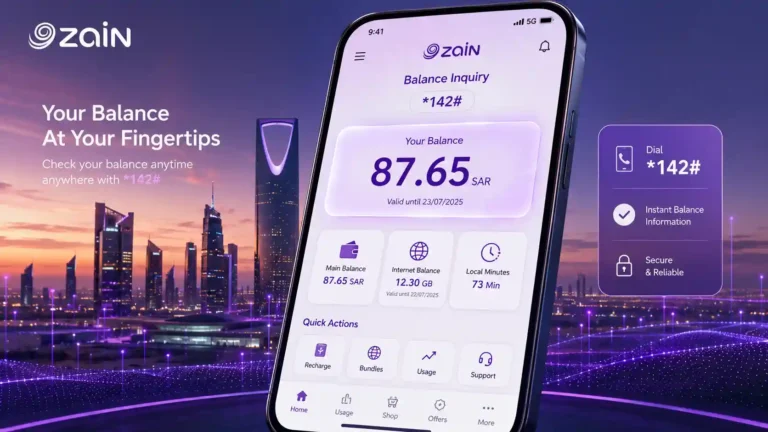
The Zain balance check code is *142#. This guide covers every method to check your Zain KSA credit balance, data balance, and account details in 2026.
*142#
Credit Balance
*405#
Data Balance
*144#
My Number
BC to 959
SMS Balance Check
The Zain balance check code in Saudi Arabia is *142#. Open your phone’s dial pad, type the code, press call, and your remaining Zain credit balance appears on screen within seconds. No internet connection is needed and no credit is deducted. The check is completely free.
Zain KSA is the third-largest mobile operator in Saudi Arabia, holding approximately 20 percent of the mobile market. It operates its own fully independent network, separate from STC and Mobily, with strong coverage across major cities and growing 5G infrastructure. This page covers every method to check your Zain balance, data balance, and manage your account in 2026.
Zain Balance Check Code: The Fastest Method
USSD codes are the quickest and most direct way to check your Zain KSA balance. They work on any phone model without requiring an app or data connection.
Open dial pad
Go to your phone’s default dialler app.
Dial *142#
Type *142# and press the call button.
Read the result
Balance, validity date, and any bonus credit appear on screen.
No charge applied
The code is completely free. No credit is deducted.
The result typically shows your main credit in Saudi Riyals, your SIM validity date, and a summary of any active promotional bonuses. The Zain balance check code *142# is the same for all Zain KSA users on all plan types.
Tip
The Zain balance check code *142# works on both 4G and 5G SIMs. If you recently upgraded to a 5G SIM, the code and result are identical to your previous SIM.
How to Check Zain Data Balance
Your Zain internet balance is tracked separately from your credit balance. Checking both regularly helps you avoid unexpected disruptions to calls and data services.
Check Zain Internet Balance by USSD Code
Open dial pad
Go to your phone’s default dialler app.
Dial *405#
Type *405# and press call.
Read the result
Remaining data, active package details, and data expiry appear on screen.
The Zain data balance check result shows all active data packages. If you have multiple packages, for example a monthly data plan and a short-term daily add-on, each appears separately with its own remaining amount and expiry. This is the standard Zain internet balance check code for all KSA users.
Check Zain Data Balance Through the App
The MyZain app gives a more detailed data usage breakdown than the USSD code. After logging in, the dashboard shows your remaining data per category, your usage history for the current billing period, and notifications for low data. This is the recommended method when you need more than just the total remaining figure.
How to Check Zain Balance by SMS
The Zain balance check by SMS is a reliable alternative when the USSD code is not responding. Open your phone’s messaging app, send BC as a text message to 959, and Zain will reply with your current credit balance, remaining data, and account validity. The SMS response typically arrives within 30 seconds and is free.
Open messages
Open your phone’s messaging app.
Send BC to 959
Type BC as the message. Send to 959. Free.
Read Zain reply
Zain replies with balance, data, and account validity within 30 seconds.
Prepaid users note
The official Zain KSA FAQ confirms that the 959 SMS shortcode is primarily intended for postpaid accounts. If you are on a prepaid Zain SIM and BC to 959 returns an error or no reply, use *405# from your dial pad or the MyZain app instead. Both give the same data balance result and work reliably on all prepaid accounts.
How to Check Zain Balance Using the MyZain App
The MyZain app is the most complete account management tool for Zain KSA users. It provides a full view of your credit, data, packages, and account history.
Download MyZain
Get MyZain from the App Store (iOS) or Google Play (Android). Free.
Log in
Open the app and log in with your Zain mobile number and password.
View dashboard
Balance, data, and all package details appear on the home dashboard.
The MyZain app works on any internet connection including Wi-Fi abroad. It is the correct method to check your Zain balance from outside Saudi Arabia when USSD codes are not working. The app also includes a live chat support feature, making it useful for resolving account issues without calling 959.
Tip
Log into the MyZain app before you travel so your session is active. The app stays logged in and you can check your balance over Wi-Fi from any country without needing to re-verify your Zain number.
How to Check Zain Balance Online
Zain provides online account access through its official website for users who prefer managing their account from a computer or tablet. Visit sa.zain.com in your browser, log in using your Zain mobile number, and your balance, data usage, and account details are displayed on the account dashboard.
The Zain online portal is also where you can pay postpaid bills, purchase new internet packages, and manage multiple Zain lines under one account. It is accessible from any country with an internet connection.
How to Find Your Zain SIM Number
If you have forgotten your own Zain number, dial *144# and press call. Your Zain SIM number appears on screen instantly. The code is free to use at any time, even with zero balance. Your number is also visible in the MyZain app under your account profile. If neither method is available, call 959 from your Zain SIM and the automated system or a customer service agent can confirm your number.
How to Recharge Zain Balance
Zain KSA offers several recharge options for prepaid users.
Recharge via MyZain App
Open the MyZain app, tap the recharge option, and pay using a debit or credit card. Balance updates immediately after payment.
Recharge Online
Visit ksa.zain.com, log in, and complete the payment online. Available from any country with internet access.
Zain Stores and Retailers
Visit any Zain branch or authorised retailer in Saudi Arabia and pay in cash. Physical Zain recharge cards also available at supermarkets and mobile shops.
Recharge from Abroad
Third-party platforms including Recharge.com and Ding support Zain KSA top-up from Pakistan, India, Bangladesh, the Philippines, Egypt, and most other countries.
Note
Zain does not have a standard USSD recharge code for voucher cards in the same way as STC (*155*PIN#) or Mobily (*1411*PIN#). Recharging a Zain SIM using a physical voucher is done through the MyZain app or by calling 959.
Zain Advance Credit
Zain KSA offers advance credit for eligible prepaid users when their balance runs very low. Unlike STC and Mobily, the Zain advance credit service is managed primarily through the MyZain app rather than a standalone USSD code.
Open MyZain app
Open the app and log in to your account.
Go to account section
Look for the advance credit or emergency balance option.
Select and confirm
If eligible, select the amount and confirm. Credit is applied immediately.
Auto repayment
The advance amount is deducted automatically from your next recharge.
Note
Zain advance credit eligibility is based on your account history. Users with a longer active account and consistent recharge record are more likely to qualify. The service is not available to all users and cannot be requested if you already have an outstanding advance balance.
How to Check Zain Balance from Outside Saudi Arabia
The Zain balance check code *142# does not work outside Saudi Arabia. When you are abroad, your phone roams on a local network and Zain USSD sessions cannot complete. This is a common issue for workers returning home for Eid or summer holidays.
Zain Balance Check Not Working: Quick Fixes
If *142# is not responding or returning an error, try these fixes in order:
Aeroplane mode
On for 10 seconds, then off. Resets network registration instantly.
Restart phone
Full restart. Wait 30 seconds after switching on before trying again.
Try SMS
Send BC to 959. Usually succeeds even when USSD is temporarily failing.
Use MyZain app
Connects through data or Wi-Fi independently of the USSD channel.
Call 959
Free from your Zain SIM. Direct customer service assistance.
All Zain KSA USSD Codes: Quick Reference
| Service | Code | Notes |
|---|---|---|
| Credit balance check | *142# | Shows balance, validity, and bonus credit. Free. |
| Data / internet balance | *405# | Shows all active data packages separately. Works for all users. |
| My Zain number | *144# | Displays your SIM number instantly. Free. |
| Balance check by SMS | Send BC to 959 | Primarily for postpaid accounts. Prepaid: use *405# or MyZain app. |
| Check plan validity | Send VP to 959 | Receive your current plan validity period by SMS reply. |
| Recharge | MyZain app or call 959 | No standard voucher USSD code. Use app or store. |
| Advance credit | MyZain app | Subject to eligibility. Deducted on next recharge. |
| Internet packages | *405# | Browse and activate data packages from the USSD menu. |
| Customer service | 959 (in KSA) | Free from your Zain SIM. Also available via app chat. |