Mobily Balance Check Guide | Updated May 2026
Mobily Balance Check 2026
How to Check Credit, Data and Internet Balance
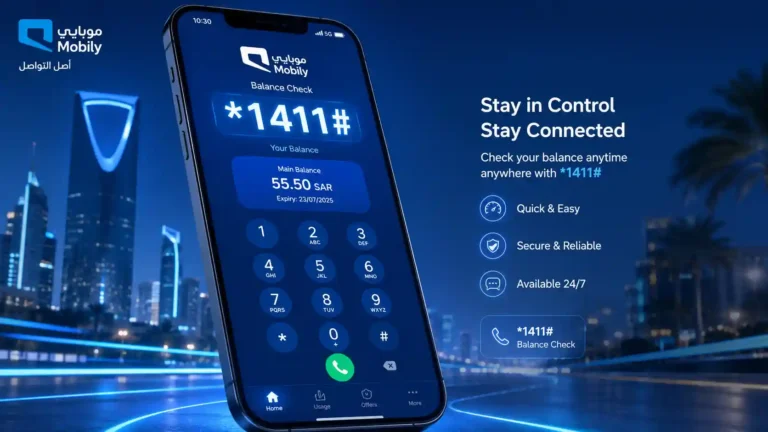
The Mobily balance check code is *1411#. This guide covers every method to check your Mobily credit balance, data balance, and account details in 2026.
*1411#
Credit Balance
*1422#
Data Balance
*222#
My Number
*430#
Emergency Credit
The Mobily balance check code is *1411#. Dial it from your Mobily SIM and press call. Your remaining credit balance and SIM validity date appear on screen within a few seconds. No internet connection is needed. The code is completely free to use on any Mobily prepaid or postpaid plan.
Mobily, formally known as Etihad Etisalat, is Saudi Arabia’s second-largest mobile operator with 12.8 million subscribers as of mid-2025. Whether you are a prepaid user or on a postpaid plan, this page covers every way to check your Mobily SIM balance, internet data balance, and account details in 2026.
Mobily Balance Check Code: The Fastest Method
The quickest way to check your Mobily balance is through the USSD code. Open your phone’s dial pad, type the code, and press call. No app, no internet, and no SMS is needed.
Open the dial pad
Go to your phone’s default dialler app.
Dial *1411#
Type *1411# and press the call button.
Read the result
Your credit balance and validity date appear on screen.
No charge applied
The code is free. No credit is deducted from your balance.
The result shows your main account balance in Saudi Riyals and the date until which your SIM remains active. If your balance includes bonus credit from a promotion or recharge offer, this may appear separately. The Mobily balance check using *1411# works on both prepaid and postpaid accounts.
Tip
Save *1411# in your phone notes so you always have it available even without an internet connection. Most Mobily users in Saudi Arabia rely on this code daily.
How to Check Mobily Data and Internet Balance
Your Mobily data balance is separate from your credit balance. Running out of data does not mean your credit is gone, and a zero credit balance does not always mean your data package has ended. Check them separately using the codes below.
Check Mobily Internet Balance by USSD Code
Open dial pad
Go to your phone’s default dialler.
Dial *1422#
Type *1422# and press call. Or dial *1411*1# for the same result.
Read the result
Remaining data, active package name, and expiry date appear on screen.
Check Mobily Data Balance by SMS
If the USSD code is not responding, check your Mobily data balance by SMS instead. Send the number 1 as a text message to 1442. Mobily will reply with an SMS showing your remaining data, package name, and expiry. This method works offline and is also free for Mobily users.
What the Mobily Data Balance Result Means
Mobily data packages often split into categories. You may see regular data, social media data, and night data listed separately. The total shown is not always the sum of all three. If you have a 20 GB package but only 2 GB appears, the remaining 18 GB may be allocated to a specific time window or app category. The MyMobily app gives the clearest breakdown of each category.
How to Check Mobily Balance by SMS
The SMS method for checking Mobily balance is a reliable alternative when the USSD code is temporarily unavailable. Open your messaging app, send 1 as a text message to 1411, and Mobily will reply with your current credit balance and account details.
Open messages
Open your phone’s messaging app.
Send 1 to 1411
Create a new message. Type 1 as the message body. Send to 1411.
Read Mobily reply
Mobily sends your credit balance and account details by return SMS. Free.
For data balance by SMS, send 1 to 1442 instead. Both SMS services are free and leave a written record in your message thread, which can be useful for tracking your usage over time.
How to Check Mobily Balance Using the MyMobily App
The MyMobily app is the most complete way to check your Mobily account. It shows your credit balance, remaining data, active packages, usage history, and bill details all in one place.
Download the app
Get MyMobily from the App Store (iOS) or Google Play (Android). Free download.
Log in
Open the app and log in with your Mobily number and password.
View dashboard
Your balance, data, and all active package details appear on the home screen.
The app works on any internet connection, including Wi-Fi abroad. This makes it the recommended method for checking your Mobily balance when you are outside Saudi Arabia. One important detail for users inside Saudi Arabia: the MyMobily app does not consume your mobile data when accessed on a Mobily SIM inside the Kingdom. You can check your balance through the app even when your data package has run out.
Tip
Enable low balance notifications in the MyMobily app settings. You will receive an alert when your credit or data drops below a set level, avoiding unexpected disconnections.
How to Check Mobily Balance Online
You can check your Mobily balance from a computer or tablet through the official Mobily web portal. Visit connect.mobily.com.sa, enter your Mobily number, enter your Iqama number or national ID for verification, and your account dashboard shows your credit balance, remaining data, and active packages. The online portal is also the easiest way to pay a postpaid bill or purchase a new data package.
How to Check Mobily Postpaid Balance
Mobily postpaid balance check works slightly differently from prepaid. Postpaid accounts do not have a credit balance that depletes instead you have a usage limit and a monthly bill.
Postpaid users should check their Mobily balance regularly to avoid exceeding plan limits, which can result in additional charges. The app is the most reliable tool for monitoring postpaid usage in real time.
How to Check Mobily Prepaid Balance
For Mobily prepaid users, the balance check is straightforward. Dial *1411# to see your credit balance and SIM validity date. The validity date is important it tells you how long your SIM will remain active. If your balance drops to zero, your SIM enters a grace period but the validity date still counts down.
Prepaid accounts may also have bonus credit from recharge promotions. Bonus credit sometimes only applies to specific call types and does not appear in the main balance. Check the MyMobily app to see all credit categories including bonus amounts separately.
Mobily also offers a loyalty programme called Neqaty. Points are earned on recharges and package purchases. Check your Neqaty balance through the MyMobily app under the loyalty section.
How to Find Your Mobily SIM Number
If you forget your own Mobily number, find it instantly without calling customer service. Dial *222# and press call. Your Mobily SIM number appears on screen immediately. The code is free and works at any time, even with zero balance. You can also find your number in the MyMobily app under your account profile.
How to Recharge Mobily Balance
There are several ways to top up your Mobily credit in Saudi Arabia and from abroad.
Recharge by USSD Code
Dial *1411*PIN# replacing PIN with your 12-digit voucher number, then press call. Balance updates within seconds. Works offline.
Recharge by SMS
Send your recharge card PIN number as a text message to 1411. Mobily processes the recharge and replies with a confirmation.
Recharge via App
Open the MyMobily app, tap recharge, and pay by debit or credit card. Balance updates immediately. Works from anywhere.
Recharge from Abroad
Third-party platforms such as Recharge.com and Ding support Mobily KSA top-up using a card from your home country.
Mobily Emergency Credit
When your Mobily balance is very low and you need to make an urgent call, request emergency credit through the advance credit service. Dial *430# and press call. If you are eligible, a small amount of advance credit is added to your account immediately. The amount is deducted automatically the next time you recharge.
Note
Emergency credit eligibility is based on your account usage history. It is not available to all users and cannot be requested if you already have an outstanding advance balance. New SIMs are generally not eligible until they have been active for several months.
How to Check Mobily Balance from Outside Saudi Arabia
The Mobily balance check code *1411# does not work outside Saudi Arabia. When you are in Pakistan, India, the Philippines, or any other country, your phone connects to a local roaming network and USSD sessions cannot complete. The correct approach when abroad:
Note
If your Mobily SIM is approaching its validity expiry while you are abroad, recharge through the app or a third-party platform before the expiry date. Saudi prepaid SIMs enter a 90-day grace period after expiry during which you can receive calls but cannot make calls or use data.
Mobily Balance Check Not Working: Quick Fixes
If *1411# is not responding or showing an error, try these fixes in order before calling customer service:
Aeroplane mode
On for 10 seconds, then off. Resets network session instantly.
Restart phone
Full restart. Wait 30 seconds after turning on before dialling again.
SMS method
Send 1 to 1411. Works even when USSD is temporarily down.
Use the app
MyMobily uses data/Wi-Fi, not USSD. Always works independently.
Call 1100
Dial 1100 free. Press 2 for automated balance. From abroad: +966 56 010 1100.
For a full guide covering all Mobily balance problems including wrong data amounts, automatic deductions, and SIM not registering, see the complete troubleshooting page.